Open source
Software
Alongside the image work I build and release open-source tools, mostly around local AI image generation, Adobe Photoshop and Windows. The plugins and utilities below are free, MIT-style licensed and developed in the open on GitHub; the newer instruments, VOID and Moondust, live on their own pages.
-
01 / Photoshop plugin / ComfyUI
OpenLayer — a free Photoshop plugin for ComfyUI
OpenLayer connects Adobe Photoshop to a local ComfyUI server so you can generate, inpaint, outpaint and upscale images without leaving your document, and bring results back in as editable layers. It runs entirely on your own machine and GPU with Stable Diffusion, SDXL and Flux models — no cloud, no credits, no subscription.
What it does
- Text to image
- Image to image
- Sketch to image
- Inpaint and outpaint
- Upscale
- Prompt from layer
- Live painting
- Multi-reference composition
- Unflatten a flat image into layers
- Layer tools for sending content back to ComfyUI
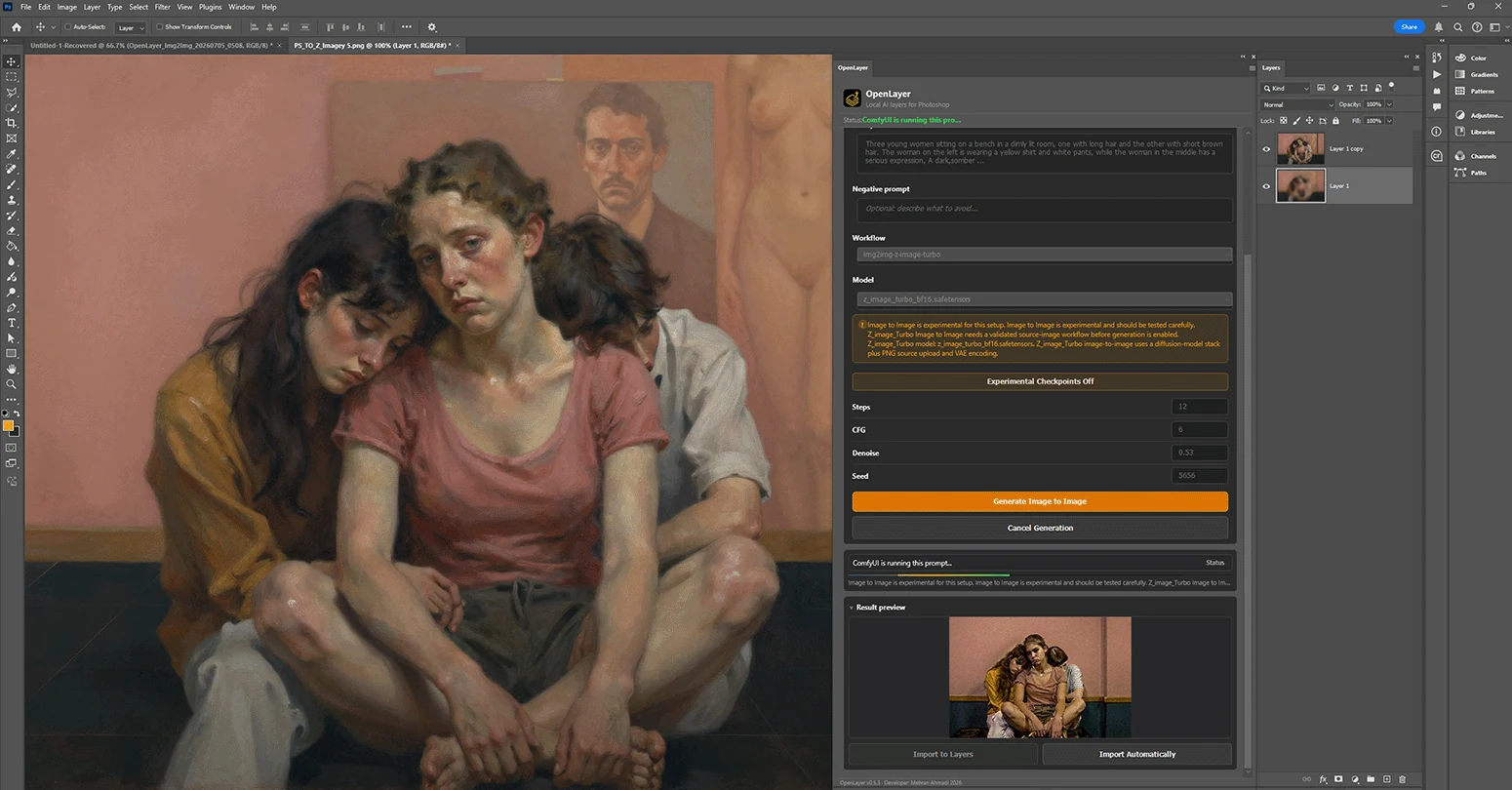
-
02 / Photoshop plugin / Local inference
OctaLayer
A Photoshop UXP plugin backed by OctaEngine, its own local inference engine, so image generation runs without a separate ComfyUI installation.
-
03 / Generative artwork / 2026
VOID / PARTICLE MEMORY
A generative particle-memory instrument — photographs, 3D models and point clouds become living particle organisms (WebGL2, framework-free engine).
-
04 / Visual instrument / Windows
Moondust
A visual instrument for your desktop. Load images, video or your camera, then turn the knobs: memory, flow and chaos keep the picture alive, and a real-time AI quietly dreams on top of it. In development — join the wishlist.
-
05 / Windows utility / .NET
Window Drift
A calm kinetic desktop utility and screensaver for Windows — slow, quiet motion instead of the usual noise.
-
06 / Windows UI / C#
GoldenGateGlass
Glass and acrylic-style surface effects for modern Windows applications, packaged so they can be dropped into a .NET project.
-
07 / Curated lists / ComfyUI
Awesome ComfyUI
Two curated lists gathered while building the plugins: tools and custom nodes for ComfyUI, and the alternative front-ends people have built on top of it.
Why these tools exist
The tools come directly out of the studio work. Projects like Head Reconstruction and False Restorations are made by moving an image back and forth between Photoshop and a local diffusion model dozens of times. OpenLayer is that round trip turned into a plugin, and the rest follow from the same need: keep the work local, keep it editable, keep it free.